
No expensive specialized hardware
Use the screens you already have.
Run BingoHub from a laptop or tablet, then show the shared event display on a TV or projector without buying dedicated equipment.
BingoHub helps licensed organizations manage in-person bingo events by displaying called numbers, sharing a QR code for player companion screens, and keeping TVs, projectors, and phones in sync—without expensive specialized hardware.
Built for churches, nonprofits, schools, senior centers, lodges, and community halls.
Why BingoHub
BingoHub removes the slow parts of bingo night setup. Organizers get one clean system for event planning, number display, player companion-view access, and room-wide screen sync.
Use the screens you already have.
Run BingoHub from a laptop or tablet, then show the shared event display on a TV or projector without buying dedicated equipment.
Create an event, choose your game format, and go live.
This bingo event software keeps planning, number display, and screen sync in one browser so volunteers can get started quickly.
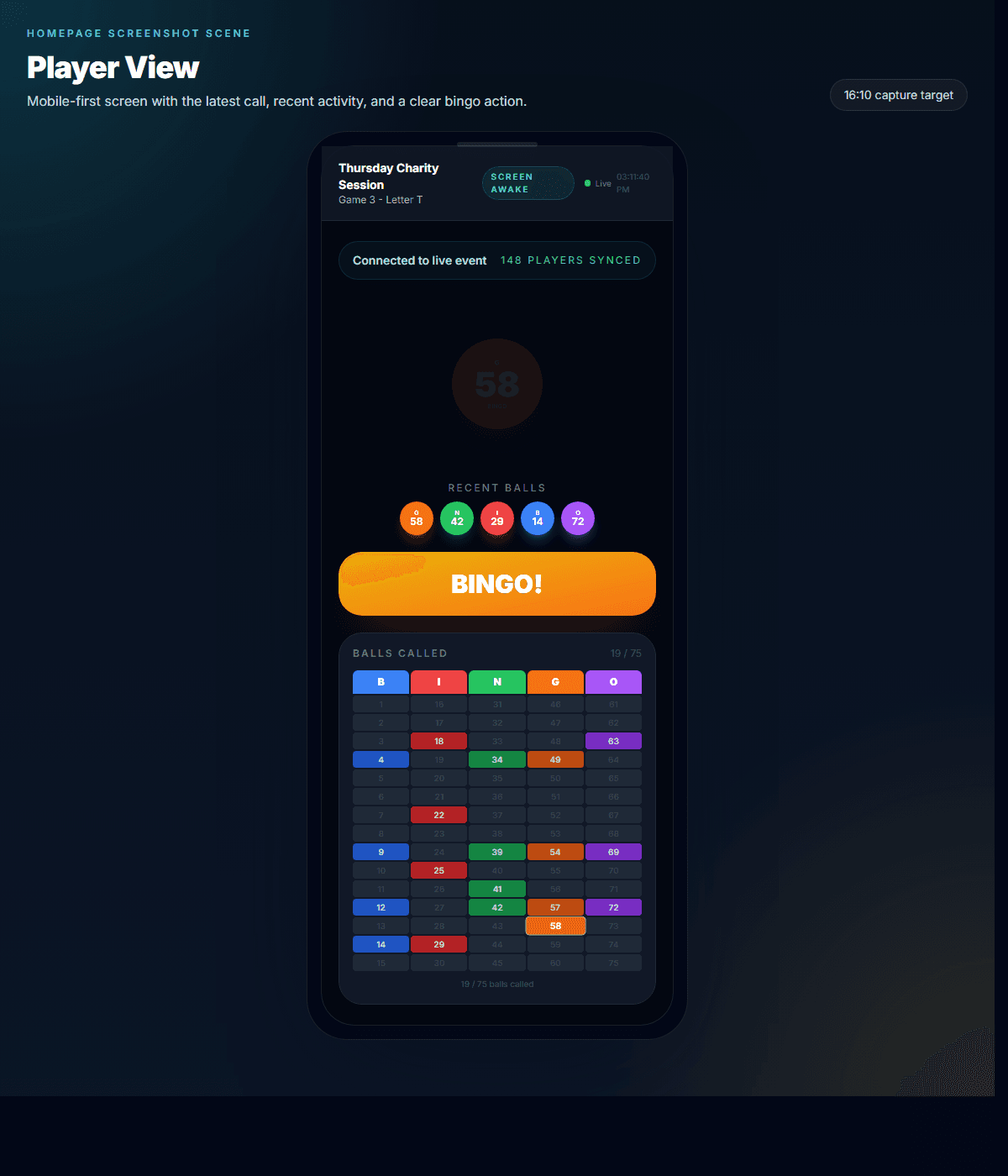
Players scan a QR code to open the companion view instantly.
Guests open the companion view on their own phones to follow displayed numbers and stay synced without downloads, accounts, or support questions at the door. They play on paper cards or boards provided by your organization.
How It Works
The workflow is simple enough for first-time volunteers and structured enough for recurring halls that need the room to stay organized.
Set up your bingo night and organize your games in advance.
Players scan to open the companion view on their own devices.
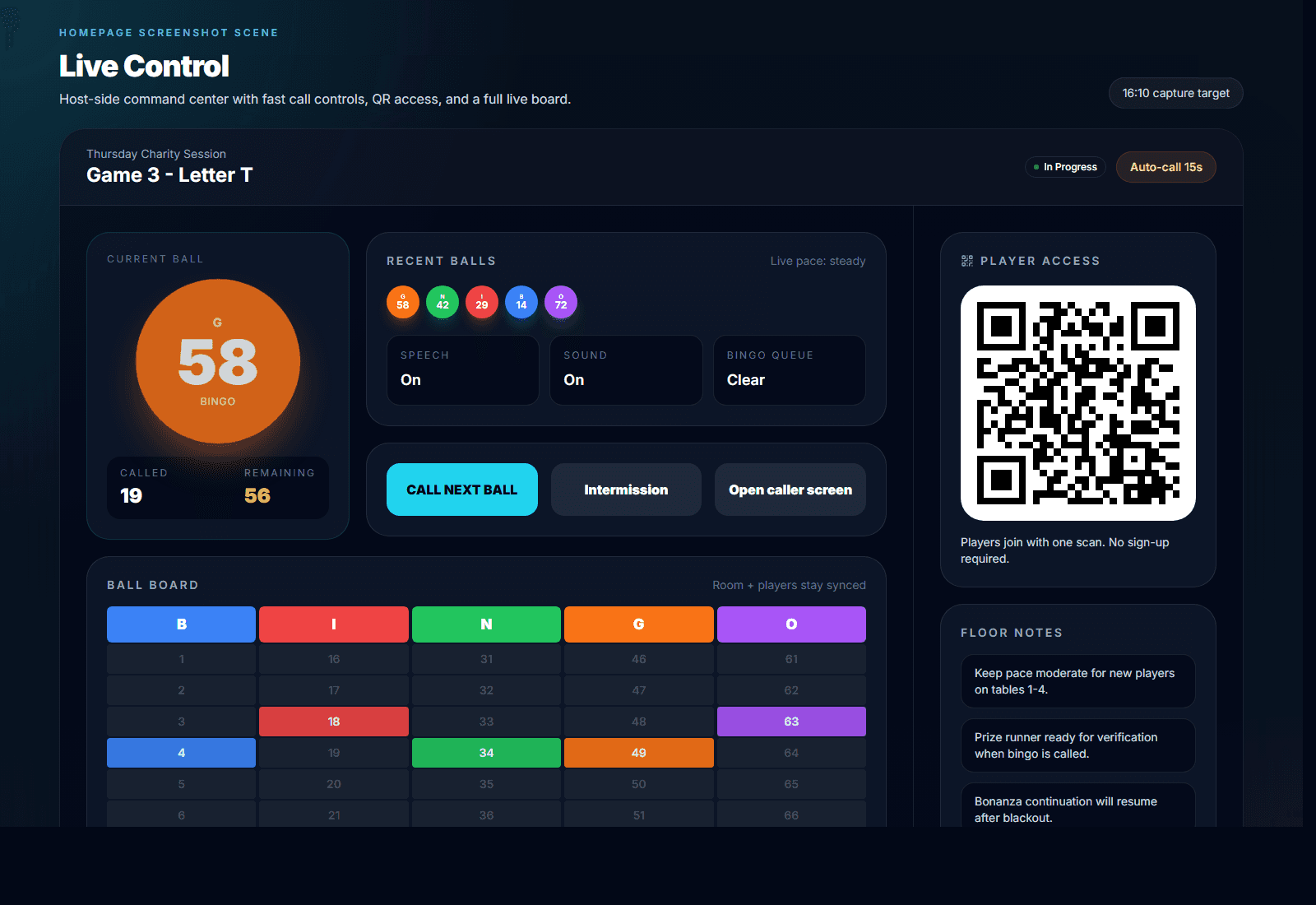
Use the host dashboard to enter and display called numbers, either manually or with host-controlled workflow features.
TVs, projectors, and player companion views stay synced as numbers are entered and displayed.
Features
Every part of the product is built for in-person bingo event needs: a host dashboard, a player companion view, a shared hall display, and the workflow that keeps them in sync.
A crystal-clear number display for your entire hall. Connect any screen via HDMI or AirPlay.
We don't charge per-head. Whether it's 10 people or 1,000, your price stays the same.
No dedicated equipment required. Use the devices your organization already has — laptops, tablets, TVs, and projectors.
Generate organized event reporting to support your documentation workflow where required by your local charitable gaming rules.
Running a casual game night or a licensed fundraiser? Set the event type at the start and the system organizes accordingly.
Chain multiple patterns in a single game — Line, then Corners, then Blackout — all on the same displayed numbers. Keep the room engaged as each phase progresses.
Why Organizers Choose BingoHub
BingoHub keeps the room understandable. The host stays in control, players get the companion view quickly, and shared screens stay readable from the first displayed number through final verification.
Easy enough for volunteers to use on event night
Clear enough for large halls and projector screens
Flexible enough for weekly bingo nights or one-time fundraisers
Structured enough to reduce the manual overhead of recurring events
Use Cases
BingoHub is built for licensed organizers who run local, in-person sessions and need a dependable display and management system that feels modern without feeling complicated.
Use church bingo software that volunteers can run from one browser while the fellowship hall projector and player companion views stay synced as numbers are displayed.
Run in-person bingo events for nonprofits and fundraiser teams without extra hardware, player accounts, or confusing setup on event night.
Keep the experience easy to follow with large shared displays, simple companion views, and clear number updates throughout the event.
Organize recurring bingo hall events with a cleaner workflow for weekly sessions, bingo verification, session history, and event reporting.
Demo
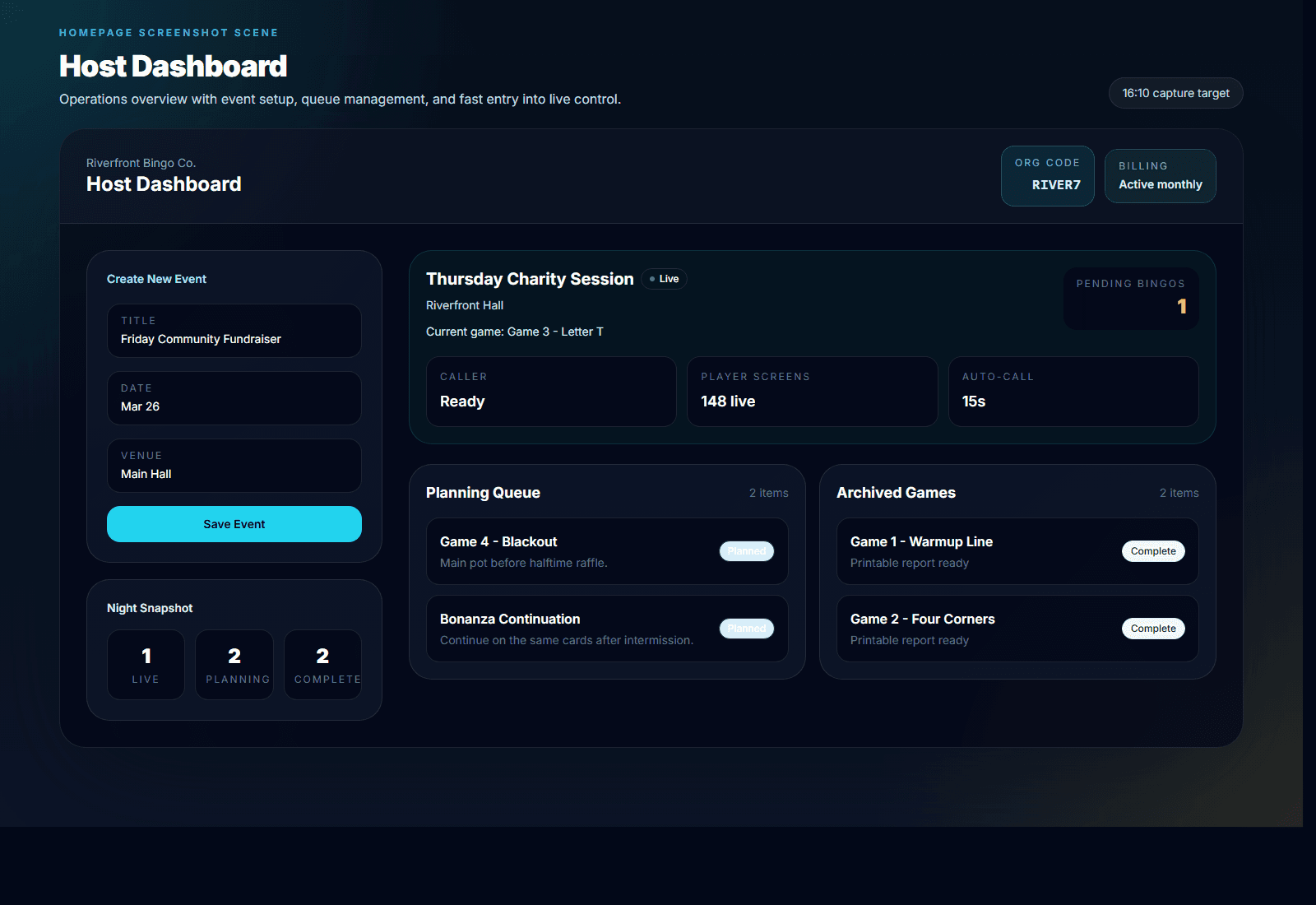
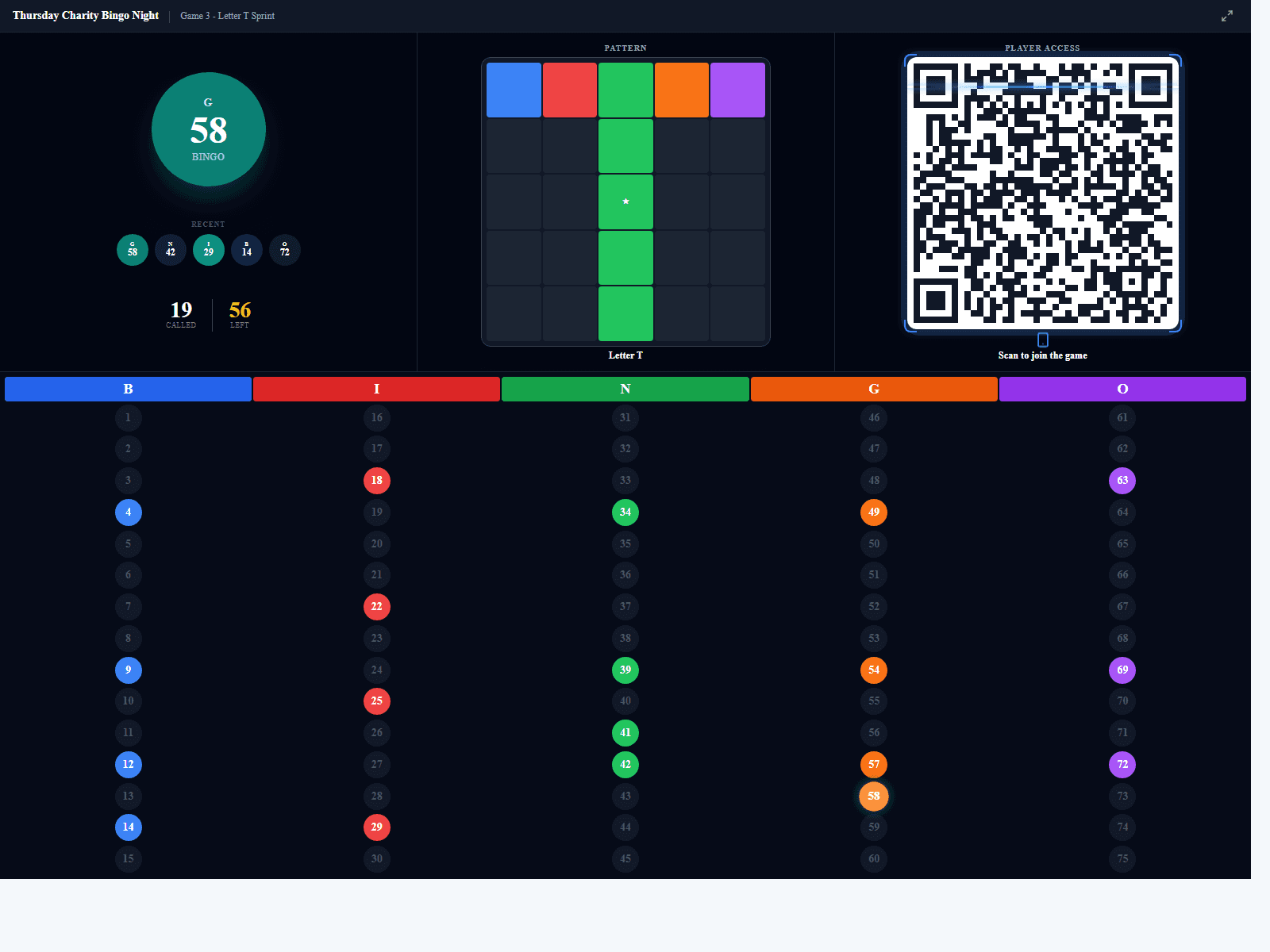
See exactly what the host dashboard, the player companion view, and the shared room display look like during a live in-person event.
Create events, line up games, launch the event display, and keep your team on one browser-based system instead of juggling paper, spreadsheets, and separate screens.
Players can follow displayed numbers and stay synced on their own devices while using the paper cards or boards provided by your organization.
Use TVs and projectors as your shared event display so every table can follow the current number, recent entries, and event status.
Pricing
BingoHub is structured for real-world organizers. Start free, grab an event pass for one-night fundraisers, or go pro for recurring halls.
Get started today
No credit card required
For one-night fundraisers
For recurring halls and organizations
No credit card required. No player login. No app download.
FAQ
These are the questions organizers usually ask before switching to a modern bingo event management workflow.
No. Players scan a QR code with their phone camera and the companion view opens instantly in the browser — no download, no account, no support queue at the door.
Yes. BingoHub is entirely browser-based. Connect your device to a TV or projector via HDMI, AirPlay, or Chromecast and the shared display fills the screen automatically.
Yes. The host dashboard, player companion view, and shared event display all work on modern phones, tablets, laptops, and desktop browsers.
Yes. You can queue and organize multiple games within a single event in advance, then move through them in order on the night.
Yes. BingoHub is designed exclusively for in-person bingo events where players are physically present. It is not intended for remote play or online bingo.
No. BingoHub runs on the browsers and screens your organization already uses. No dedicated bingo equipment is required.
No. BingoHub is display and event-management software. Your organization provides its own paper cards, shutter cards, or boards as usual.
No. BingoHub does not process payments, handle prizes, or manage wagering. Your organization handles all of that according to its normal procedures.
Yes. BingoHub supports manual number entry, so your host can use any drawing method your organization normally uses and enter each number into the display as it is drawn. BingoHub then keeps all screens in sync.
No. BingoHub does not charge per attendee. Host as many players as your hall holds for one flat price.
Talk to Us
Speak directly with the BingoHub team. We'll walk you through the product, answer your questions, and help you figure out if it's the right fit for your events and hall setup.
15 Minutes
Free • No commitment
Get Started
Start your free trial and see how easy it is to run your next event with BingoHub.